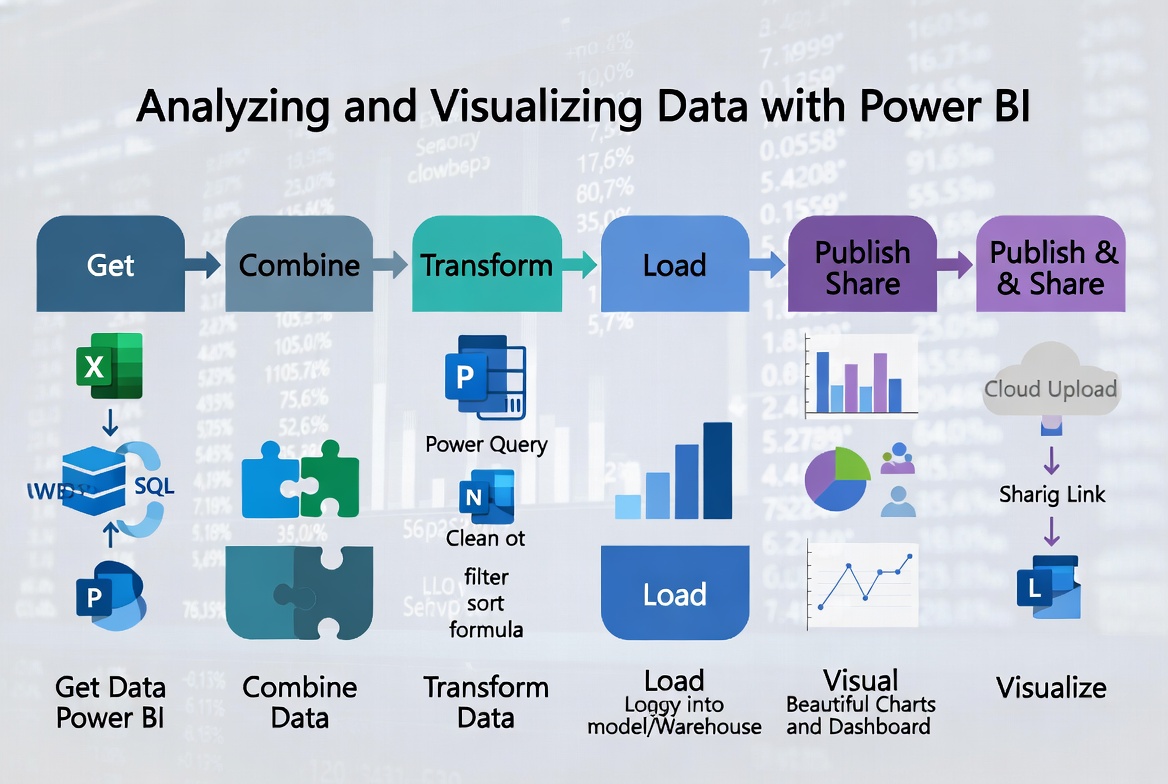

Analyzing and Visualizing Data with Power BI.
Course Description
As technology progresses and becomes more interwoven with our businesses and lives, more data is collected about business and personal activities. This era of "big data" is a direct result of the popularity and growth of cloud computing, which provides an abundance of computational power and storage, allowing organizations of all sorts to capture and store data. Leveraging that data effectively can provide timely insights and competitive advantages. Creating data-backed visualizations is key for data scientists, or any professional, to explore, analyze, and report insights and trends from data. Microsoft Power BI software is designed for this purpose. Power BI was built to connect to a wide range of data sources, and it enables users to quickly create visualizations of connected data to gain insights, show trends, and create reports. Power BI's data connection capabilities and visualization features go far beyond those that can be found in spreadsheets, enabling users to create compelling and interactive worksheets, dashboards, and stories that bring data to life and turn data into thoughtful action.
The Training Course Will Highlight ?


  • Combine data from different sources
  • Use DAX to create calculated fields for slicing and dicing data
  • Create visually appealing analytical models
  • Publish dashboards through Power BI
  • You will finally start to get value from the huge data available to your organization
  • Work with huge separate databases

Organizational Impact:

Power BI - Microsoft product has become one of the most popular data analytics platforms in the world. What makes the platform so special? Here are seven key benefits of Power BI for your organisation:

  • Power BI can provide business intelligence for all
  • Power BI brings data to life (interactivity)
  • Power BI is secure
  • Power BI easily connects to many data sources
  • Power BI has artificial intelligence capabilities
  • Power BI is constantly improved
  • Power BI apps – an excellent means of sharing content


Personal Impact:

Power BI is a phenomenal tool for companies looking to launch, organize, and/or grow their business intelligence efforts. Professional will gain very useful benefits using Power BI, like:

  • Improve the skills for professionals in a variety of job roles
  • Let team perform numerical or general data analysis
  • Let professionals shaping and combining data for the purpose of analysis
  • Provide them with alternative ways to analyze business data, visualize insights, and share those insights with peers across the enterprise
  • Capturing and reporting on data to peers, executives, and clients
Training Objective

At the end of this Analyzing and Visualizing Data with Power BI training course, you will learn to:

  • Analyze data with self-service BI
  • Connect to data sources
  • Perform data cleaning, profiling, and shaping
  • Visualize data with Power BI
  • Enhance data analysis by adding and customizing visual elements
  • Model data with calculations
  • Create interactive visualizations

Target Audience

This Analyzing and Visualizing Data with Power BI is suitable to a wide range of professionals but will greatly benefit:

  • Financial Analysts, Chief Financial Officers, Financial Government Officials, Accountants, Credit Analysts, Budgeting and Planning Specialist, Corporate Finance Analysts, Corporate Finance Lawyers
  • Chief Executive Officers, Board Members, Regulators, Private Equity Managers, Strategic Planners, Trustees
  • Insurance Specialists and Actuaries, Investment Bankers, Venture Capitalists, Bank Lending Officers
  • Risk Managers, Compliance Officers, Internal Auditors
  • Management Consultants, Marketing Officers

Training Methods

This training course is practical with hands-on training on MS Power BI Desktop. 20% of the course is theory built. 80% uses MS Power BI. Laptops will be made available duration of the training. In addition, the book 'Microsoft Power BI “Will be distributed at the course, in electronic copies

Daily Agenda

Day 1

Getting Started with Microsoft Data Analytics

  • Getting started with Microsoft data analytic
  • Data analytics and Microsoft
  • Getting started with Power BI
  • Get data in Power BI
  • Get data from various data sources
  • Optimize performance
  • Resolve data errors


Day 2

Create visually appealing analytical models.

  • Create reports
  • Design a report
  • Enhance the report
  • Clean, transform, and load data in Power BI
  • Data shaping
  • Data profiling
  • Enhance the data structure


Day 3

Create Model Calculations using DAX in Power BI

  • Design a data model in Power BI
  • Introduction to data modeling
  • Working with tables
  • Dimensions and hierarchies
  • Create model calculations using DAX in Power BI
  • Introduction to DAX
  • Real-time dashboards
  • Advanced DAX


Day 4

Optimize Model Performance

  • Optimize model performance
  • Optimize the data model for performance
  • Optimize direct query models
  • Create dashboards
  • Perform advanced analytics
  • Advanced analytics
  • Data insights through AI visuals


Day 5

Publish Dashboards Through Power BI.

  • Create and manage workspaces
  • Creating workspaces
  • Sharing and managing assets
  • Manage datasets in Power BI
  • Parameters
  • Datasets
Accreditation

CDGA attendance certificate will be issued to all attendees completing minimum of 80% of the total course duration.

Quick Enquiry

Request Info

Download Brochure Request In house Proposal

Course Rounds : (5 -Days)


Code Date Venue Fees Register
ITP119-01 13-09-2026 Cairo USD 5450
ITP119-02 16-11-2026 Istanbul USD 5950
Prices doesn't include VAT

UpComing Date


Details
  • Start date 13-09-2026
  • End date 17-09-2026

Venue
  • Country Egypt
  • Venue Cairo

Quality Policy

 Providing services with a high quality that are satisfying the requirements
 Appling the specifications and legalizations to ensure the quality of service.
 Best utilization of resources for continually improving the business activities.

Technical Team

CDGA keen to selects highly technical instructors based on professional field experience

Strengths and capabilities

Since CDGA was established, it considered a training partner for world class oil & gas institution

Search For Available Course

Ireland, Ireland

3012, Block 3, 30 Euro Business Park, Little Island, Co. Cork, T45 V220, Ireland

+353 214 552955

Mon to Fri 09:00 AM to 06:00 PM

Info@cdga-training.com

Contact Us anytime!